
| Vendor | KAON |
| Model | PM1191 |
| CPU | Cortina CA8271A |
| DRAM | 256 MB |
| Flash Size | 128 MB (MICRON MT29F1G01ABAFD) |
| CPU Arch | Taroko V0.2 (MIPS) |
| CPU Clock | 666 MHz |
| Bootloader | U-Boot 2020.04 |
| System | Linux 4.14.275.saturn2-sfu-r2.2 |
| 10GBaseT | Yes |
| Optics | SC/APC |
| IP address | 192.168.1.1/24 |
| Web Gui | ✅ |
| SSH | ✅ |
| Telnet | ❌ (Cortina cli on localhost:2323) |
| FTP | ❌ |
| Serial | ✅ |
| Serial baud | 115200 |
| Serial encoding | 8-N-1 |
| Form Factor | ONT |
External/Internal Photo
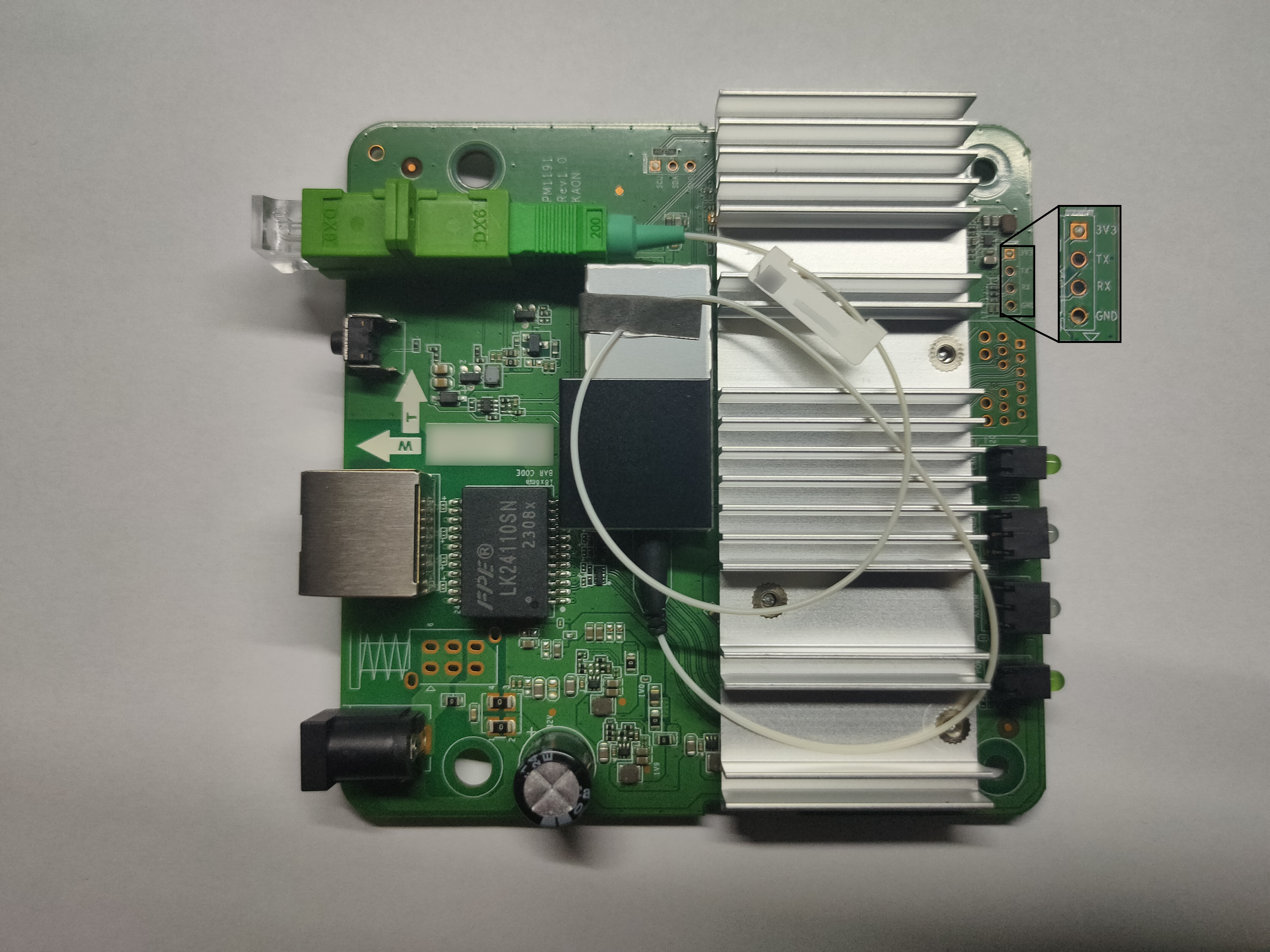
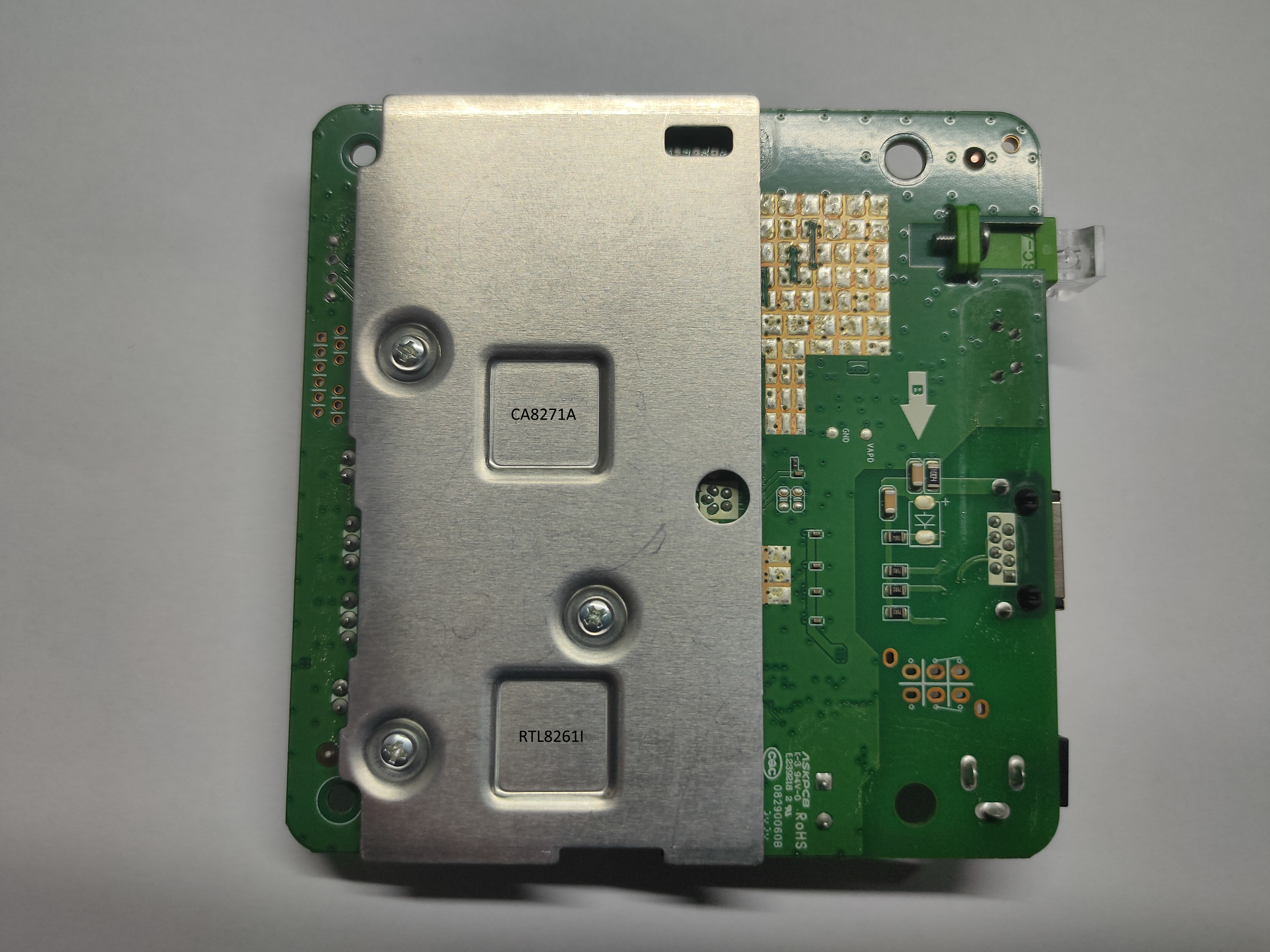
List of software versions
- 2.0.25 (T-Mobile CZ)
- 2.0.25_eng (T-Mobile CZ)
GPON ONU status
sh
# telnet 127.0.0.1 2323
Cortina> enable
Cortina# config
Cortina(config)# aal
Cortina(config-aal)# xgpon
Cortina(config-aal-xgpon)# show activation_state 0
PON mode                 : 5(XGSPON)
VendorID                 : 0x4b414f4e(KAON)
VSSN                     : 0xa1b2c3d4
TO1                      : 80000(unit:125us)
TO2                      : 8000(unit:125us)
S/W FSM current event    : NONE
S/W FSM current state    : O1.1
S/W FSM previous state   : O1.1
S/W FSM running state    : O1.1
H/W FSM current state    : O1.1
H/W FSM previous state   : O1.1
Activated counter        : 0
ONU Dsync state          : hunt
Registration ID: 0x00 00 00 00 00 00 00 00 00 00 00 00 00 00 00 00 00 00 00 00 00 00 00 00 00 00 00 00 00 00 00 00 00 00 00 00

# telnet 127.0.0.1 2323
Cortina> enable
Cortina# config
Cortina(config)# omci
Cortina(config-omci)# show info
omcc       :0xa1
ipv4Addr   :0x7f000001
ipv4Mask   :0xffffff00
ipv4Gw     :0xffffff00
ponNum     :1
geNum      :0
xgeNum     :1
iphostNum  :1
potsNum    :0
veipNum    :0
ponSlot    :1
geSlot     :2
xgeSlot    :3
iphostSlot :0
potsSlot   :0
veipSlot   :4
oltType    :COMMON
ponMacMode :5
maxQ/Tc    :8
ispType    :COMMON
batteryBak :1
remoteDbg  :0
powerCsvMd :0
ipv6Flag   :0
veipIdp    :0
todRspTime :35000
loid       :
passwd     :
vendorId   :KAON
sn         :KAON-a1b2c3d4
version    :V1.0
eqId       :PM1191
mac        :98:39:10:03:13:37
psk        :0x0000000000000000
GPON/OMCI settings
Getting/Setting ONU GPON Serial Number
sh
# fw_printenv serial_number
serial_number=KAONA1B1C3D4
# fw_setenv serial_number HWTCA1B2C3D4
Getting/Setting ONU GPON PLOAM password
sh
# fw_printenv gpon_passwd
gpon_passwd=000000000000000000000000000000000000000000000000000000000000000000000000
# fw_setenv gpon_passwd
Getting/Setting ONU GPON LOID and LOID password
sh
# fw_getenv loid
# fw_getenv loid_passwd
# fw_setenv loid LoidUser
# fw_setenv loid_passwd LoidPass
Getting/Setting OMCI software version (ME 7)
sh
# fw_printenv img_version0
img_version0=2.0.25_eng
# fw_printenv img_version1
img_version1=2.0.25
# fw_setenv img_version1 2.0.25_eng
# fw_setenv img_version1 2.0.25_eng
Useful files and binaries
/overlay/upper/etc/scfg/scfg.encrypt- Encrypted device configuration/overlay/upper/etc/.kaon_key2- Device encryption key/etc/.kaon_key- Firmware encryption key/sbin/encrypt- Helper script for file encryption/decryption. Deletes input file when encrypting!
List of partitions
- MTD
| dev | size | erasesize | name |
|---|---|---|---|
| mtd0 | 00400000 | 20000 | "ssb" |
| mtd1 | 00200000 | 20000 | "uboot-env" |
- UbiFS layout when booting from Image0
| dev | size | erasesize | name |
|---|---|---|---|
| mtd2 | 00100000 | 20000 | "dtb0" |
| mtd3 | 00600000 | 20000 | "kernel0" |
| mtd4 | 02800000 | 20000 | "rootfs0" |
| mtd5 | 00100000 | 20000 | "dtb1" |
| mtd6 | 00600000 | 20000 | "kernel1" |
| mtd7 | 02800000 | 20000 | "rootfs1" |
| mtd8 | 01400000 | 20000 | "userdata" |
| mtd9 | 00800000 | 20000 | "logdata" |
| mtd10 | 01129000 | 1f000 | "squashfs_ubi" |
| mtd11 | 01078000 | 1f000 | "userdata" |
- UbiFS layout when booting from Image1
| dev | size | erasesize | name |
|---|---|---|---|
| mtd2 | 00100000 | 20000 | "dtb1" |
| mtd3 | 00600000 | 20000 | "kernel1" |
| mtd4 | 02800000 | 20000 | "rootfs1" |
| mtd5 | 00100000 | 20000 | "dtb0" |
| mtd6 | 00600000 | 20000 | "kernel0" |
| mtd7 | 02800000 | 20000 | "rootfs0" |
| mtd8 | 01400000 | 20000 | "userdata" |
| mtd9 | 00800000 | 20000 | "logdata" |
| mtd10 | 01129000 | 1f000 | "squashfs_ubi" |
| mtd11 | 01078000 | 1f000 | "userdata" |
This ONT supports dual boot.
Volumes dtb0, kernel0 and rootfs0 respectively contain kernel and rootfs of the first image, while dtb1, kernel1 and rootfs1 contain kernel and rootfs of the second one.
Image switching is done by changing volume names in cmdline from U-Boot.
sh
setpartlayout=setenv partitions ${flash_id}:4M@0x0(ssb),2M(uboot-env),1M(dtb${active_part}),6M(kernel${active_part}),40M(rootfs${active_part}),1M(dtb${standby_part}),6M(kernel${standby_part}),40M(rootfs${standby_part}),20M(userdata),8M(logdata)Booting to a different image
sh
Image 0
# fw_setenv img_active 1
# fw_setenv img_commit 1
# reboot
Image 1
# fw_setenv img_active 2
# fw_setenv img_commit 2
# reboot
Flashing new firmware
Only inactive image volumes should be written to.
sh
# cd /tmp
# wget 192.168.1.100:9999/new_rootfs1.img
# flash_eraseall /dev/mtd7
# flashcp -v new_rootfs1.img /dev/mtd7
Decrypting device configuration
Configuration /overlay/upper/etc/scfg/scfg.encrypt and user passwords in U-Boot environment are encrypted with key derived from device MAC address.
This key can be easily generated.
py
import hashlib, sys
# Based on "/sbin/encrypt" script
# openssl enc ${ENCRYPT_OPTION} -aes-256-cbc -salt -pbkdf2 -in ${ENCRYPT_INPUT_FILE} -out ${ENCRYPT_OUTPUT_FILE} -pass file:kaon_key2
mac = "98:39:10:aa:bb:cc"
mackey = hashlib.sha512( f"ethaddr={mac}\x0a".encode('utf-8') ).hexdigest()
mackey = f"{mackey[1:33]}\n"
f = open("kaon_key2", "w")
f.write(mackey)
f.close()